> ## Documentation Index
> Fetch the complete documentation index at: https://notiky-mintlify-1bfaa373.mintlify.site/llms.txt
> Use this file to discover all available pages before exploring further.
# Small team setup
> Two-person Notiky setup — co-founder and PM share one workspace, each machine connects as a runtime, and agents run wherever capacity is available.
Goal: **a co-founder and a PM (or second founder) share one workspace**, each with their own machine connected as a runtime.
 ***
## Architecture
| Person | Role | Machine |
| ------ | -------------------- | -------------------------------------------------- |
| Alex | Technical co-founder | Runtime A — Claude Code + repo checkout |
| Sam | PM / product | Runtime B — optional agent for docs/research tasks |
| Both | Members | Same Notiky **workspace** |
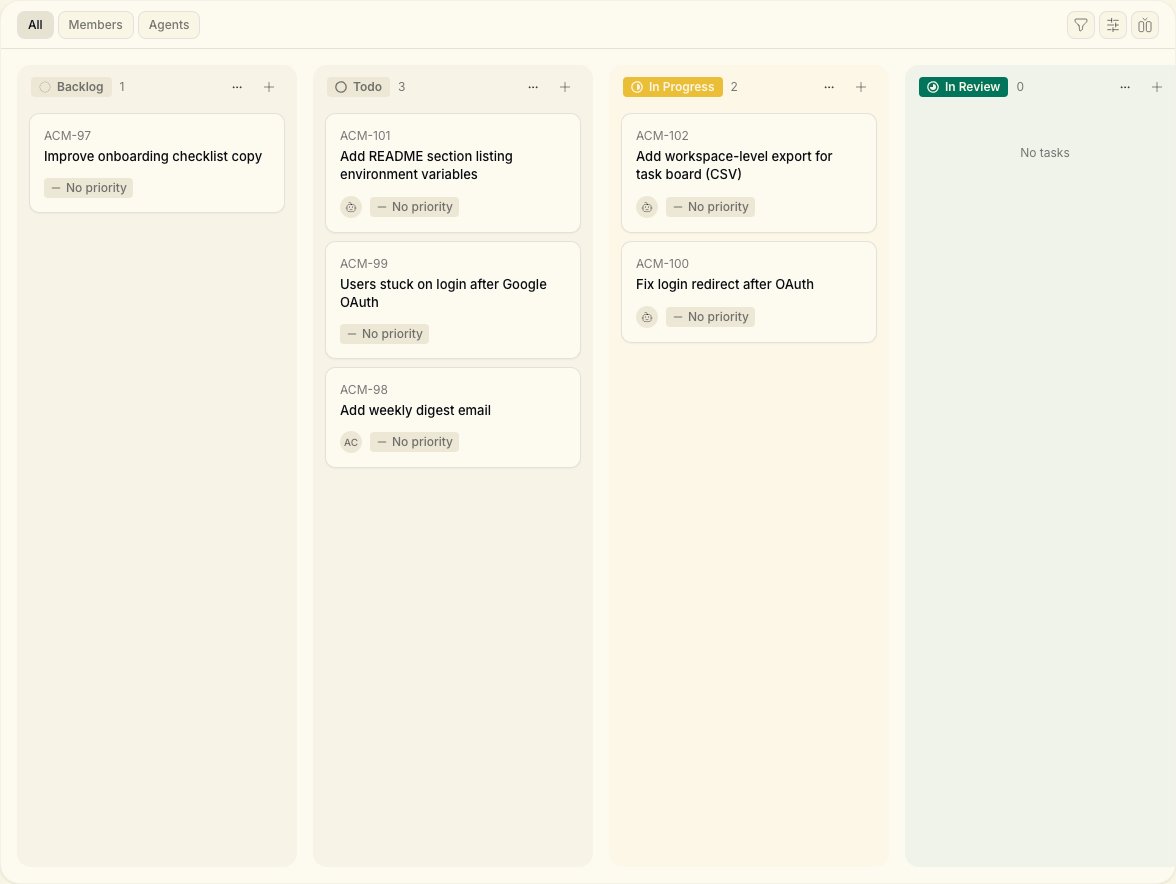
Agents and tasks live in the **shared board**. Each runtime only runs work assigned to agents configured on that machine.
***
## Steps
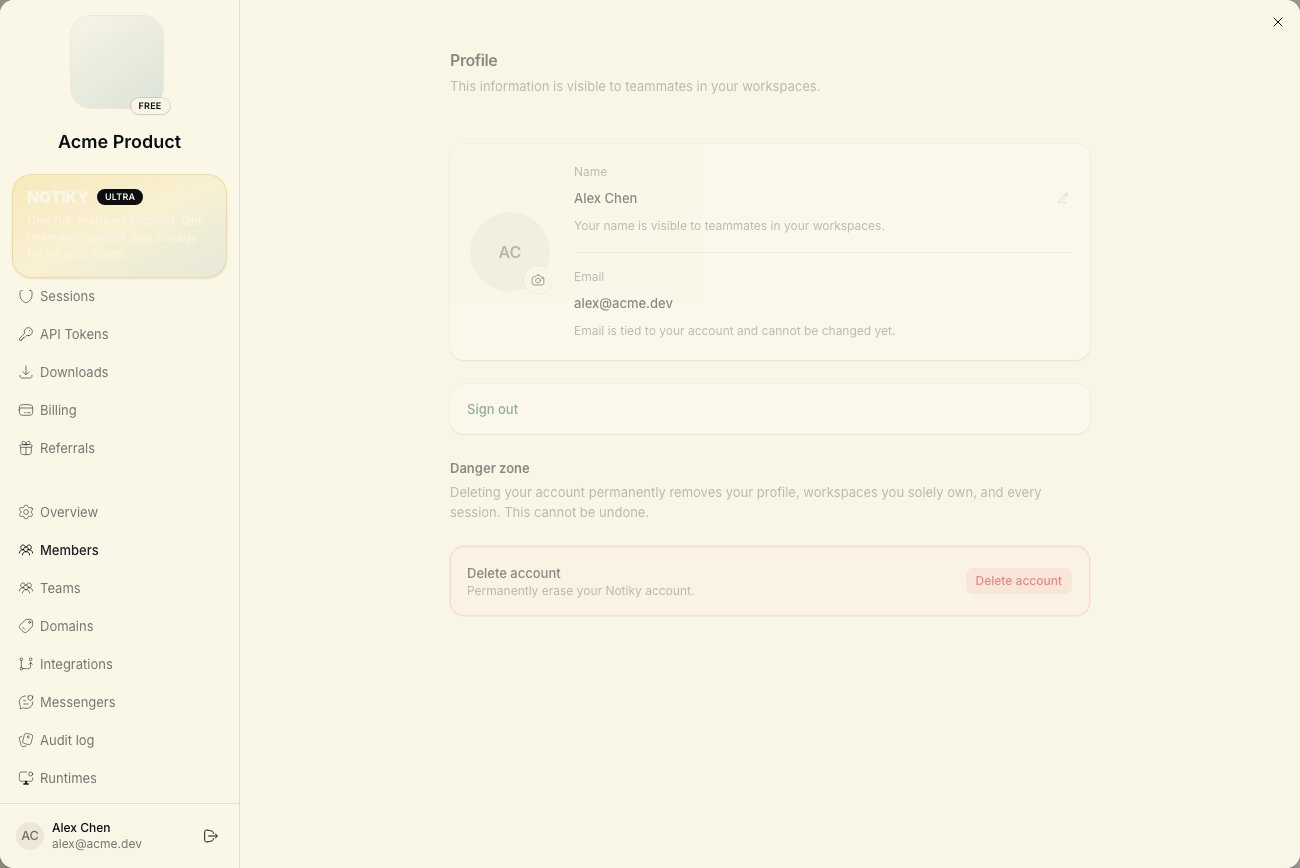
Alex signs up at [notiky.com](https://notiky.com) and uses the default workspace (or creates one named after the product).
Open workspace **Settings → Members** and invite Sam's email. Sam accepts and lands in the same workspace.
```bash theme={null}
curl -fsSL https://get.notiky.com | bash && notiky setup
```
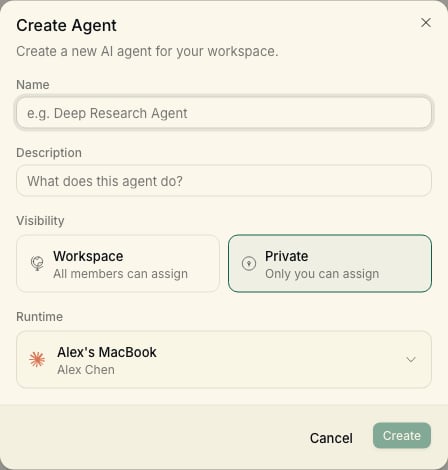
Alex creates **New agent** on Runtime A — e.g. "Implementer" with Claude Code.
***
## Architecture
| Person | Role | Machine |
| ------ | -------------------- | -------------------------------------------------- |
| Alex | Technical co-founder | Runtime A — Claude Code + repo checkout |
| Sam | PM / product | Runtime B — optional agent for docs/research tasks |
| Both | Members | Same Notiky **workspace** |
Agents and tasks live in the **shared board**. Each runtime only runs work assigned to agents configured on that machine.
***
## Steps
Alex signs up at [notiky.com](https://notiky.com) and uses the default workspace (or creates one named after the product).
Open workspace **Settings → Members** and invite Sam's email. Sam accepts and lands in the same workspace.
```bash theme={null}
curl -fsSL https://get.notiky.com | bash && notiky setup
```
Alex creates **New agent** on Runtime A — e.g. "Implementer" with Claude Code.
 Sam runs the same install on their laptop if they want a local agent (e.g. Cursor Agent for lighter tasks). Otherwise Sam assigns work to Alex's agents.
* Human-owned tasks → assign to members
* Agent-owned tasks → assign to named agents
* Use [Projects](/projects) for each product stream
* Document repeat workflows as [workspace skills](/skills)
Sam creates a task with clear acceptance criteria. Alex assigns it to Implementer. Both watch progress on the board and comment async.
Sam runs the same install on their laptop if they want a local agent (e.g. Cursor Agent for lighter tasks). Otherwise Sam assigns work to Alex's agents.
* Human-owned tasks → assign to members
* Agent-owned tasks → assign to named agents
* Use [Projects](/projects) for each product stream
* Document repeat workflows as [workspace skills](/skills)
Sam creates a task with clear acceptance criteria. Alex assigns it to Implementer. Both watch progress on the board and comment async.
 ***
Each machine checks out the repo independently. Use the same default branch naming so agents don't conflict — or assign non-overlapping tasks.
See [Onboard a teammate](/example-workflows/onboard-teammate) — one runtime can serve the whole team early on.
***
## CLI tips for two machines
Each person logs in with their own account:
```bash theme={null}
notiky auth status
notiky workspace list
notiky config set workspace_id
```
List agents visible to the workspace:
```bash theme={null}
notiky agent list
```
***
## Scaling beyond two
* Add [workspaces](/workspaces) per client or product line
* Keep one daemon per machine — use `notiky daemon restart` after CLI updates
* See [Troubleshooting](/troubleshooting) if a runtime drops offline
***
## Related
***
Each machine checks out the repo independently. Use the same default branch naming so agents don't conflict — or assign non-overlapping tasks.
See [Onboard a teammate](/example-workflows/onboard-teammate) — one runtime can serve the whole team early on.
***
## CLI tips for two machines
Each person logs in with their own account:
```bash theme={null}
notiky auth status
notiky workspace list
notiky config set workspace_id
```
List agents visible to the workspace:
```bash theme={null}
notiky agent list
```
***
## Scaling beyond two
* Add [workspaces](/workspaces) per client or product line
* Keep one daemon per machine — use `notiky daemon restart` after CLI updates
* See [Troubleshooting](/troubleshooting) if a runtime drops offline
***
## Related