> ## Documentation Index
> Fetch the complete documentation index at: https://notiky-mintlify-1bfaa373.mintlify.site/llms.txt
> Use this file to discover all available pages before exploring further.
# Bugfix while away
> Solo founder recipe — write a clear bug report, assign it to a Notiky agent, and review the fix asynchronously between meetings or customer calls.
Goal: **ship a fix without babysitting the terminal**. You write a clear bug report, assign an agent, and review when you're back from meetings, calls, or customer work.
 ***
## Scenario
You are a solo founder. Production has a bug. You have 30 minutes before back-to-back calls. You want an agent to start investigating and implementing while you're unavailable.
**Before:** vague Slack note, "fix the login thing."
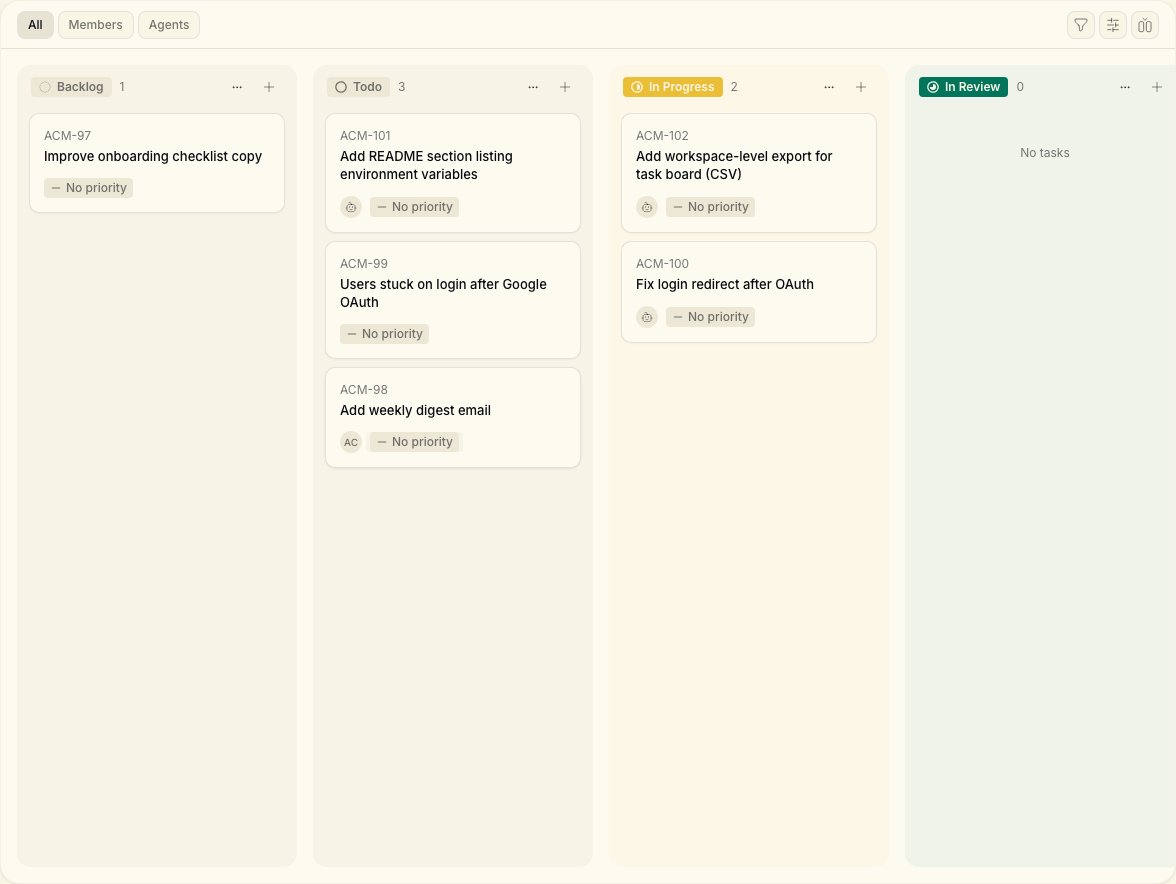
**After:** a task with reproduction steps, assigned to a named agent, moving through **In Progress** with comments you can review later.
***
## Copy-paste task example
**Title:** Fix 401 after OAuth callback on `/auth/callback`
**Description:**
```
Reproduction:
1. Sign in with Google on staging
2. Redirect lands on /auth/callback
3. User sees 401 instead of dashboard
Expected: redirect to workspace home
Acceptance: staging OAuth flow completes; add test if one exists nearby
Notes: check session cookie domain and callback handler order
```
***
## Steps
Open **Settings → Runtimes**. Your machine should show online with at least one agent CLI detected.
```bash theme={null}
notiky daemon status
```
If offline, run `notiky setup` or `notiky daemon restart`.
Open **Tasks** → **New Task**. Paste the title and description above (adapt to your bug). Set priority if it's blocking customers.
Assign the task to a named agent — e.g. "Builder" — on your connected runtime. Pick an agent that already has repo access on your machine.
***
## Scenario
You are a solo founder. Production has a bug. You have 30 minutes before back-to-back calls. You want an agent to start investigating and implementing while you're unavailable.
**Before:** vague Slack note, "fix the login thing."
**After:** a task with reproduction steps, assigned to a named agent, moving through **In Progress** with comments you can review later.
***
## Copy-paste task example
**Title:** Fix 401 after OAuth callback on `/auth/callback`
**Description:**
```
Reproduction:
1. Sign in with Google on staging
2. Redirect lands on /auth/callback
3. User sees 401 instead of dashboard
Expected: redirect to workspace home
Acceptance: staging OAuth flow completes; add test if one exists nearby
Notes: check session cookie domain and callback handler order
```
***
## Steps
Open **Settings → Runtimes**. Your machine should show online with at least one agent CLI detected.
```bash theme={null}
notiky daemon status
```
If offline, run `notiky setup` or `notiky daemon restart`.
Open **Tasks** → **New Task**. Paste the title and description above (adapt to your bug). Set priority if it's blocking customers.
Assign the task to a named agent — e.g. "Builder" — on your connected runtime. Pick an agent that already has repo access on your machine.
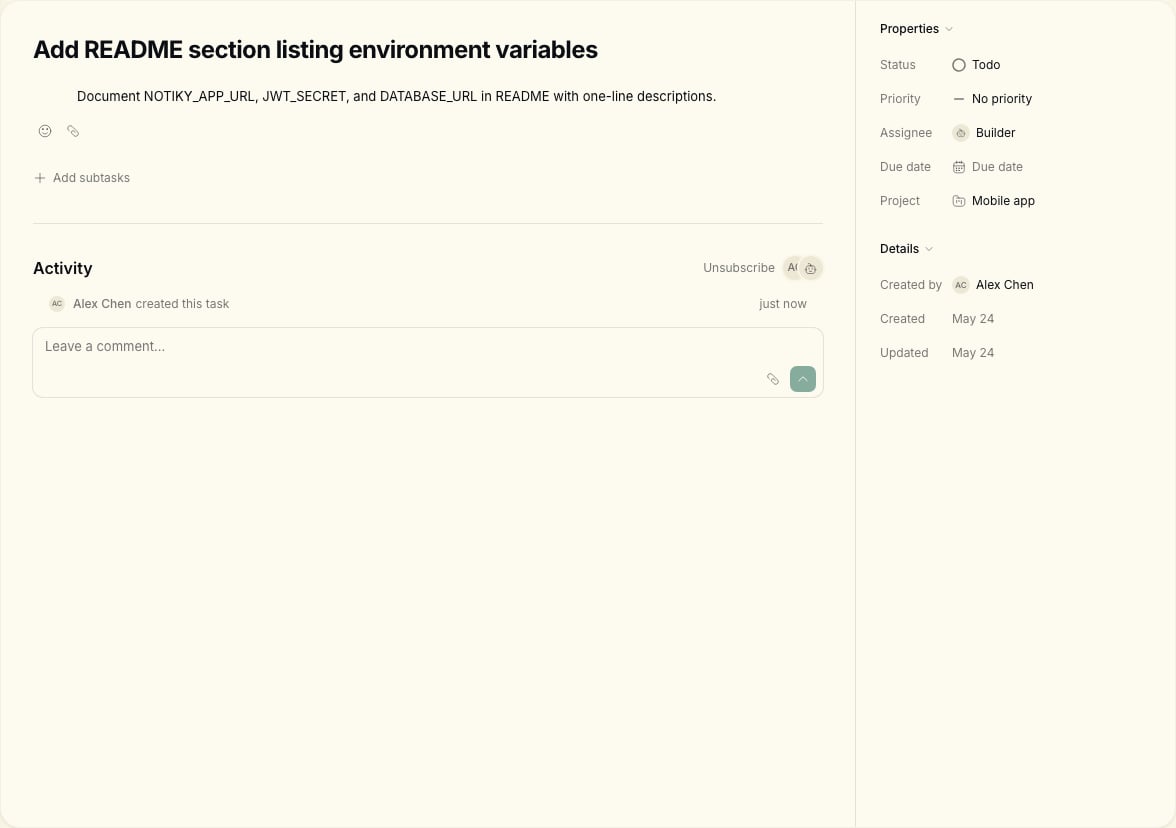 Move the task to **In Progress** if it isn't already. Close the laptop lid if you need to — the daemon keeps running on your machine (keep power and network in mind).
When you're back, open the task. Read agent comments like a teammate's update. Approve, request changes, or re-assign.
```bash theme={null}
notiky task search "OAuth callback"
notiky task comment list
```
Move to **In Review** while you verify on staging, then **Done** when shipped. Add a one-line comment with the commit or deploy link for future you.
***
## What good looks like
* Agent posts progress or blockers in task comments — not silence for hours
* Task status reflects reality (**In Progress** → **In Review** → **Done**)
* You didn't need to watch logs live; you reviewed a paper trail
***
See [Troubleshooting](/troubleshooting) — usually daemon offline or task not assigned to an agent.
Comment with a correction and narrower acceptance criteria. Consider a [workspace skill](/skills) for repeat bugfix patterns.
Re-assign to yourself or a teammate. Use [Conversations](/conversations) in **Think** mode to decide approach before re-assigning the agent.
***
## Related
Move the task to **In Progress** if it isn't already. Close the laptop lid if you need to — the daemon keeps running on your machine (keep power and network in mind).
When you're back, open the task. Read agent comments like a teammate's update. Approve, request changes, or re-assign.
```bash theme={null}
notiky task search "OAuth callback"
notiky task comment list
```
Move to **In Review** while you verify on staging, then **Done** when shipped. Add a one-line comment with the commit or deploy link for future you.
***
## What good looks like
* Agent posts progress or blockers in task comments — not silence for hours
* Task status reflects reality (**In Progress** → **In Review** → **Done**)
* You didn't need to watch logs live; you reviewed a paper trail
***
See [Troubleshooting](/troubleshooting) — usually daemon offline or task not assigned to an agent.
Comment with a correction and narrower acceptance criteria. Consider a [workspace skill](/skills) for repeat bugfix patterns.
Re-assign to yourself or a teammate. Use [Conversations](/conversations) in **Think** mode to decide approach before re-assigning the agent.
***
## Related